Settings
Open Settings with ⌘, (Ctrl+, on Linux and Windows), the Settings button at the top of the window, or Open Settings in command search. The sections are listed down the left. The up and down arrows move between them, and Escape or Back leaves Settings.
You can also ask your first mate to change a setting for you, such as “switch to the light theme” or “turn on ambient music”.
The sections
Section titled “The sections”| Section | What it holds | More |
|---|---|---|
| General | Start at login, notifications, dictation, your panels, Sharing, and the version you run | Below |
| Appearance | Size, cards, theme, fonts, language and ambient music | Below |
| Panels | Where each panel sits on the sides of the window, and which ones show | Panels |
| Keyboard | Your set of keys, and the keys for each command | Keyboard |
| Projects | Your projects, and for each one its rigor, how it merges and where it runs | Projects |
| Intelligence | Your AI subscriptions, your first mate’s model, the models your crew uses and a spending limit | Subscriptions and allowance |
| Runbooks | Guidance your first mate follows for kinds of work, including your own | Runbooks |
| Usage | How much your first mate and your crew have used | Usage |
| Automation | Prompts that run on a schedule or when something happens, and jobs kept running | Automation |
| Integrations | Your GitHub, GitLab and Bitbucket sign-ins, services you connect such as Google, and what each may do without asking you | Integrations |
| Secrets | Values your crew uses but never sees, and the sites you signed in to in a task’s browser | Secrets |
| Devices | Your other computers and phones, and how they find this computer | Your other computers, iPhone and iPad |
On a computer that controls your first mate from elsewhere, Appearance, Keyboard and Panels belong to that computer, and the other sections to the computer where your first mate lives. See Your other computers.
General
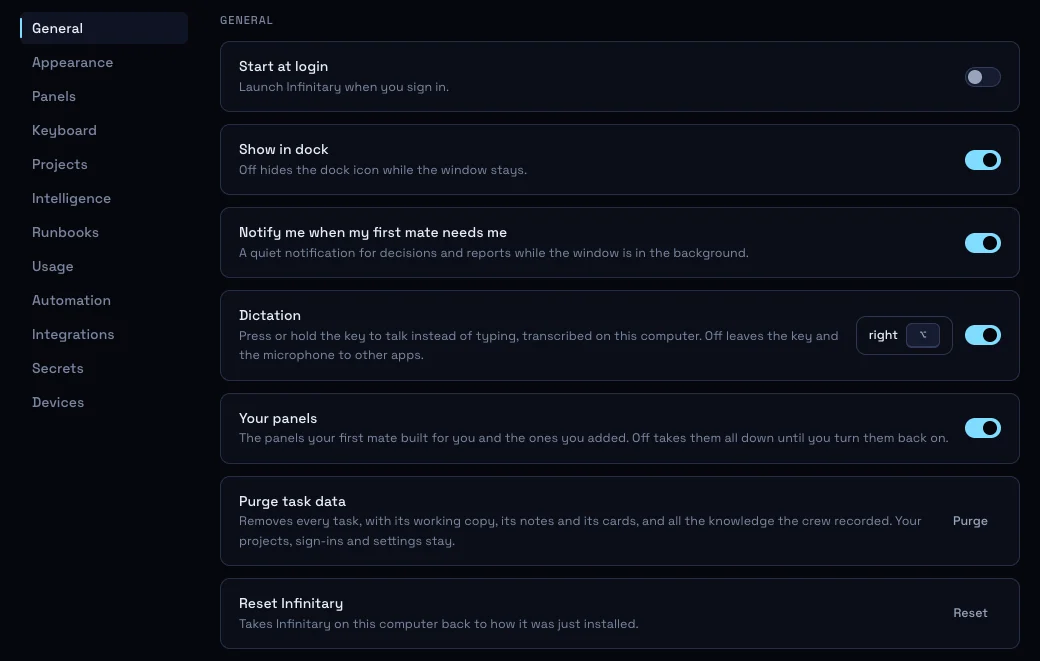
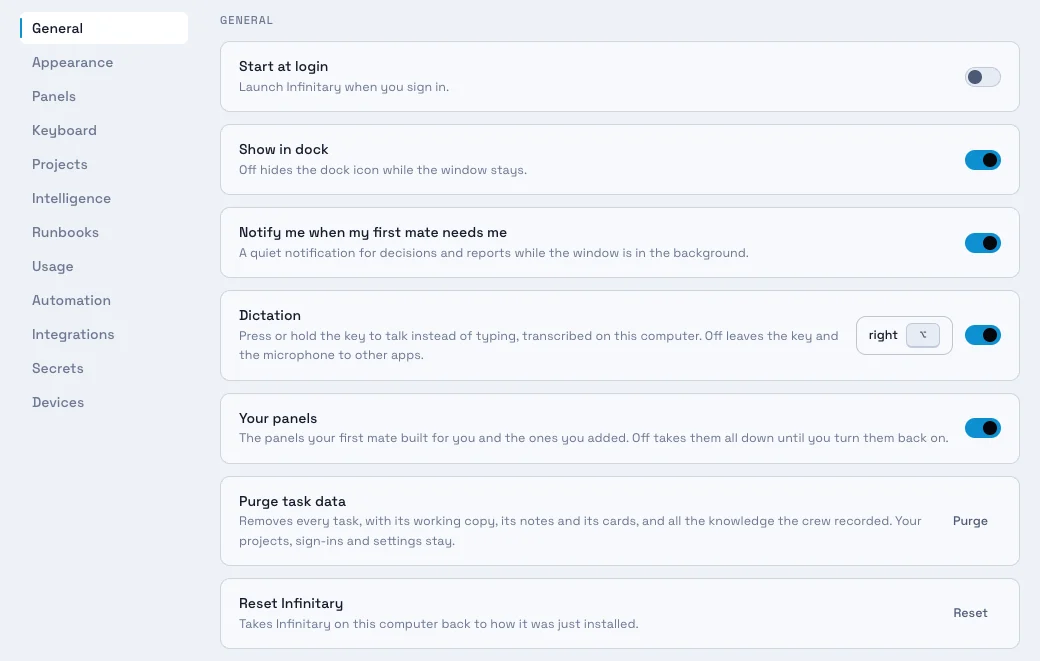
Section titled “General”- Start at login opens Infinitary when you sign in to your computer.
- Show in dock, on a Mac, hides the dock icon when it is off, while the window stays.
- Notify me when my first mate needs me sends a quiet notification for decisions and reports while the window is in the background.
- Dictation lets you press or hold a key to talk instead of typing, turned into words on your computer. Off leaves the key and the microphone to other apps. See The first mate.
- Your panels takes down every panel your first mate built for you, and the ones you added, until you turn it back on.
- Purge task data removes every task, with its working copy, its notes and its cards, and the knowledge your crew recorded. Your projects, sign-ins and settings stay. Press Purge, then Confirm purge.
- Reset Infinitary takes Infinitary on this computer back to how it was just installed. It deletes everything Infinitary keeps here, including tasks, sign-ins, Secrets, settings and paired devices, while projects in your own folders keep every file and commit. Press Reset, then Reset Infinitary, and confirm it is you the way your computer asks. See Reset Infinitary.
- Sharing holds the Diagnostics switch, a line on what the update check tells us whatever that switch says, and What would leave this computer. See What leaves your computer.
- Version names the version you run, and opens each release note you were shown again. Under it, Infinitary says whether you are up to date, with a button such as Check for updates. See Update and remove Infinitary.
On a computer that controls your first mate from elsewhere, General also lists Website sign-ins: the sites you signed in to in a task’s browser there. On the computer where your first mate lives, they are under Signed-in sites in Secrets.
Appearance
Section titled “Appearance”- Size makes text and everything around it larger, at 100, 110, 125 or 150%.
- Default card size chooses how cards open: Usual, Wide, Full or Maximized. You can still resize each card.
- Keep cards maximized keeps every card maximized after you maximize one, until you restore one.
- Crew model names shows model names while your crewmates use only one orbit.
- Group crew animation by project seats each project’s crew together in the crew animation, whichever computer runs them. It is off by default, and shows while you have two projects or more. Command search and your first mate can switch it too.
- Window wash, on a Mac, sets how much of the theme color covers the blurred background. 0% is the default.
- Theme is Dark, Light, or one of thirteen themes under their makers’ names, such as Dracula, Catppuccin Mocha or Rosé Pine Dawn. A pick recolors the window, its cards and its panels at once, and the arrow keys move between the choices. To make a theme of your own, describe it to your first mate, such as “an old green terminal”: it saves the theme under Yours and puts it on at once, and Infinitary keeps every color easy to read. Describe your own starts that message, and Remove takes away the theme of yours you have on.
Infinitary has three fonts you can choose:
- App font: the words of the window, its panels, buttons and Settings.
- Reading font: what the crew writes on cards. It stays Same as the app font until you choose another.
- Code font: code, keys and task keys.
Each offers Infinitary’s own font, This computer’s font, or one of your Installed fonts.
Language
Section titled “Language”Language sets the words Infinitary shows, and the language your first mate and crew write to you in. English is the default. The others are Simplified Chinese, Traditional Chinese, Japanese, Korean, Spanish, French, German, Portuguese as written in Brazil, and Arabic, each named in its own language. Some parts of Infinitary still show English.
Ambient music plays calm music made on your computer as it plays, so it never loops. It follows the crew, and chimes when something waits for you. It is off until you turn it on.
- Style chooses the music, from ten styles in four kinds: Space, Pirate, Nautical and Island. It starts on Cold sleep.
- Your own music has Describe your own, which starts a message to your first mate. Describe the music you want, and your first mate writes it as a style, listed under Yours in Style. Remove shows while one of your own styles is chosen, and takes it off the list.
- Volume sets how loud the music plays.
- Pause when you’re away, on a Mac or a Windows PC, pauses the music while your screen is off or locked, so it does not keep your computer awake. It plays again when you are back, and it is on until you turn it off.
A sound button sits just before Settings at the top of the window, whether the music is on or off. Press it to turn the music on or off; the Ambient music switch turns with it. Rest the pointer on it and it names the music that is playing; rest on the name, or press it, to pick another style from the list below it. Command search has Play or stop ambient music and Choose ambient music too.
Runbooks
Section titled “Runbooks”A runbook is written guidance your first mate and crew follow for a kind of work.
- Built in lists the ones that come with Infinitary. View reads one, and its switch turns it on or off.
- Yours lists the runbooks you added or made with your first mate.
- Make your own has Your runbooks folder, where they live, with Open folder. To make one, ask your first mate in your own words.
What you can ask for shows some of the work built-in runbooks guide, such as lessons and small projects for fun. See Runbooks.