Knowledge
Knowledge is what your first mate and your crew keep so that later work can use it. It holds three kinds of thing:
- Standing directions: how you want your work run from now on, such as who merges or which models a project uses.
- Personal context: what you tell your first mate about yourself.
- Saved sources: articles and pages you asked your crew to keep, with what they say.
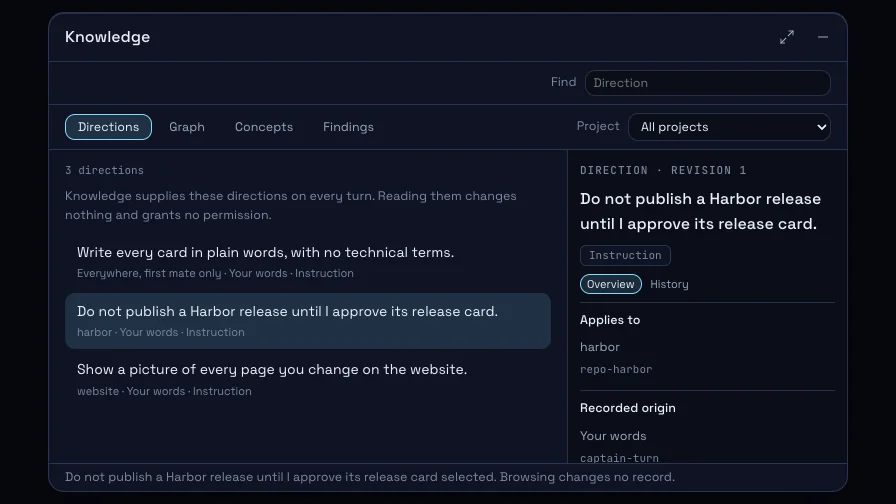
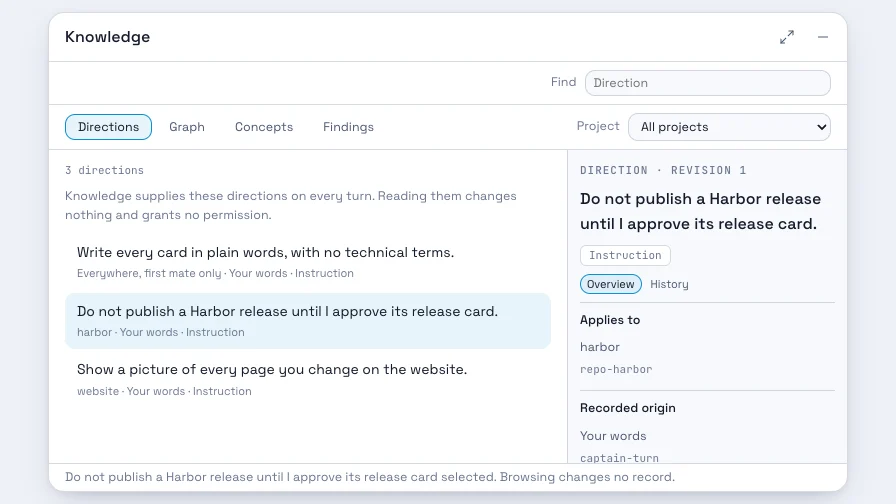
Give a standing direction
Section titled “Give a standing direction”Tell your first mate, in your own words, how you want something done from now on. For example, “from now on, ask me before merging anything in website”, or “use Claude for every task in the docs project”. Your first mate decides when your words are meant to last, and keeps them as a direction. It can also keep one from a choice you make on a card, when that choice should hold for later work.
A direction applies everywhere, or to one project.
A rule about how a project’s own code is written, tested or committed is not kept as a direction. Your first mate has a crewmate write it into the project’s own documents, so it stays with the code.
Who follows a direction
Section titled “Who follows a direction”- Your first mate reads every active direction, every time it works.
- A crewmate reads the directions for its task’s project, and no others.
- A direction for everywhere stays with your first mate, and no crewmate reads it. Knowledge names these Everywhere, first mate only.
A direction in your own words is marked Instruction, and your crew follows it as your instruction. One kept from anywhere else is marked Advice, which your crew weighs. No direction allows more than its own words say. A direction allows something, such as a step that needs no asking, only while its current wording was heard from you: in your words to your first mate, on a card, or in a task’s Crewmate tab. One your first mate kept or reworded without your words guides your crew, but allows nothing on its own. Your first mate can also let a task go on without asking you, as far as a direction you said for its project reaches; once you change or retire that direction, the task asks you again. After an update from a version that did not note this, your first mate asks you once, on one card, which of your directions you said, and the ones you tick count as heard.
See, change or retire a direction
Section titled “See, change or retire a direction”The Knowledge panel sits under Tasks on the right side of the window, once there is something in Knowledge. It lists up to four of your directions, newest first, with a project’s name beside each one that is for one project. Click a direction to read it, or the link that counts them, such as All 6 directions, to see every one.
To change or retire a direction, tell your first mate, such as “stop asking me before merging in website”. Knowledge has no button that changes a direction itself. When your first mate learns that a direction may no longer apply, it can offer to retire it on a card, and you choose.
A retired direction stops guiding your first mate and your crew. Its earlier wording stays in its history.
Tell your first mate about yourself
Section titled “Tell your first mate about yourself”Tell your first mate something about you that later work should know, such as “I’m new to coding” or “I live in Lisbon”. It keeps your words as personal context. A crewmate keeps personal context too, but only from your own words, never from a guess.
Your first mate and your crew do not read everything you saved every time. They look up personal context and saved sources when their work may depend on your situation or on something you saved. Directions are different: they are read every time.
Save a source
Section titled “Save a source”Ask your first mate to save a page you want kept, such as “save this article for later”, with its link. A crewmate reads the page and keeps its link, its title, its author and publication date when the page gives them, and a short excerpt. It also records the ideas the page names and what the page says about them, each tied to that source. The page itself is not copied.
Asking what a page says saves nothing; only asking to save it does. Saving a source does not mean you agree with it.
Concepts and findings
Section titled “Concepts and findings”Saved knowledge is made of two kinds of entry:
- A concept names one idea, with the other names people use for it.
- A finding says something about one or more concepts, with the sources behind it. It is marked Observed when someone saw it, or Reasoned to when someone worked it out.
A finding is evidence to weigh, never an instruction or a permission. Your crew reads a finding and its sources before relying on it.
Each finding shows where it stands:
- Not yet checked: nobody has checked it.
- Checked: a check that cites evidence supports it.
- Differing evidence: a check or another finding contradicts it.
- Needs rechecking: a source it cites changed, or is gone, since it was kept.
- Superseded: a newer finding replaces it.
- Retired: it no longer counts.
A changed source does not make a finding wrong; it makes it worth checking again.
Open Knowledge
Section titled “Open Knowledge”Press Open Knowledge in the header of the Knowledge panel, or search for Open Knowledge in command search. Knowledge opens on its own card, with four tabs:
- Directions: every direction. Project narrows the list to one project, or to Everywhere, first mate only. All projects shows them all again.
- Graph: your concepts, drawn in three dimensions. A solid arrow is a claim a finding makes from one idea to another, and a dashed line joins two ideas worth reading together. Drag to turn it, or use the arrow keys to pick a concept and Enter to read it.
- Concepts: every concept by name, with how many findings each has.
- Findings: every finding, newest first. Show narrows the list to Needs rechecking or Differing evidence.
Find searches the tab you are on. Pick anything to read it beside the list, under Overview, Evidence, History and Used in. A direction shows Overview and History, which keeps each earlier wording. Under Where you said it, a direction says whether its current wording was heard from you, and where, and History says the same of each earlier wording.
Ask about this, under each section, starts your next message to your first mate with a question about what you are reading. Nothing is sent until you send it. Reading Knowledge changes nothing in it.
When an answer on a card relies on a finding, it can name that finding, and the name opens it in Knowledge. A task’s card lists the knowledge its work relied on under Knowledge used.
Where it is kept
Section titled “Where it is kept”Knowledge is kept on the computer where your first mate lives. Your other computers show that computer’s Knowledge, and a crewmate working on another computer reads it from there without keeping a copy. When your first mate or a crewmate reads something in Knowledge, it goes to your AI provider with the rest of that conversation, like anything else they read. See What leaves your computer.
Closing a task keeps everything it recorded. To remove everything in Knowledge, directions included, use Purge task data in Settings → General. It removes every task too.